From £1,250
Executive briefing
A half-day literacy session for leadership: capabilities, risks, and where to move first. Built for people who have to make the call, not operate the tool.

AI Training · Microsoft 365 Copilot
Copilot is only as good as the people prompting it. I train teams to get real work out of Copilot in Word, Excel, PowerPoint, Outlook and Teams — and to go beyond chat into agents that deliver finished work.
In plain terms: you are already paying for Copilot. This is the day your team starts getting the value back — on your documents, in your tenant, with your IT constraints respected.
Curriculum
A full day covers all eight. A half-day executive briefing takes modules 1, 6 and 8 at leadership altitude. Nothing here is demoed on a sample dataset — we use your work.
My sessions are built on a four-competency spine rather than a walk through a product's feature list — because prompting is only about a quarter of the skill, and feature tours do not survive contact with a Monday morning.
Those four competencies will be familiar if you have read the open AI Fluency framework published by Anthropic with Prof. Rick Dakan and Prof. Joseph Feller — I reference it because it is good, public research and it matches what I see in the room. The curriculum, exercises and materials on the day are my own, and the spine is deliberately vendor-neutral: I teach the CIM's Level 6 AI module, and what changes between platform days is the tooling underneath, not the teaching.
Most teams use Copilot as a slightly worse search box and conclude it is overhyped. We start with the judgement call: which of your work it should touch, which it should not, and how to tell. Usually the moment the room turns.
Drafting from bullet points and source documents, rewriting to house style, summarising a 60-message thread, turning a morning inbox into a prioritised action list. Asking properly is most of the difference.
Building a deck from a document, restructuring one that is not landing, and using meeting recaps and action capture so nobody has to take minutes again.
Formula generation, cleaning messy exports, explaining what a sheet actually does, and getting to an insight rather than a chart — including how to spot the moment Copilot has guessed. The session most people say they came for.
Copilot inherits your SharePoint permissions, so it will happily surface the salary spreadsheet somebody left open to everyone. What it can see, why that matters, and what IT must check before a wide rollout.
The reasoning agents that go well beyond chat: multi-step research across your tenant and structured analysis of your own data, with sources you can check.
Building an agent for a job your team does every week — onboarding, bid qualification, policy questions — plus the honest conversation about what is actually worth automating.
Who genuinely needs a seat, how to spot the people who have quietly stopped using theirs, disclosure norms, and what to report to the board at 90 days.
The day itself
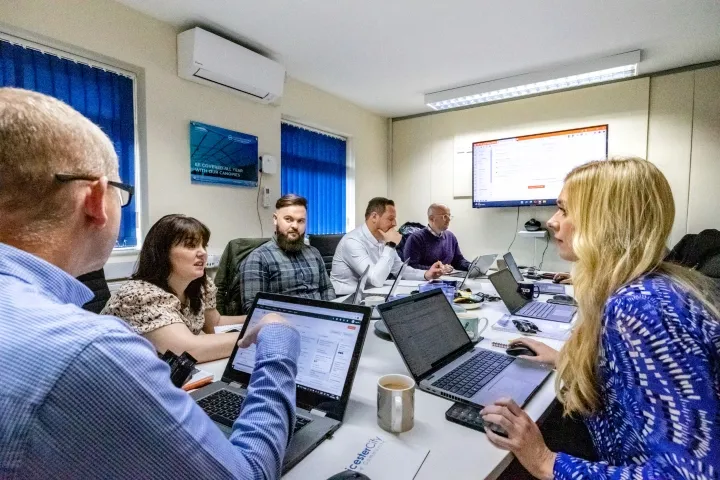
A typical on-site workshop day. It flexes around your team, but this is the shape, so you know exactly what you are buying.
Formats & pricing
Real numbers, not “contact us for a quote”. Prices are per session, exclusive of VAT, and cover a normal-sized team — the instant quote gives you your exact figure in about a minute.
From £1,250
A half-day literacy session for leadership: capabilities, risks, and where to move first. Built for people who have to make the call, not operate the tool.
From £2,500
Morning fundamentals, afternoon hands-on with your real work — your documents, your processes, your sanitised data. People leave using it.
Monthly retainer
Adoption help, agent building and office hours after the training lands. The part that turns a good day into a changed habit.
Proof
Copilot and AI-literacy engagements with UK manufacturers and national operators — including a Copilot rollout for the bilstein group UK.
Lighting Manufacturer
Executive AI literacy for the SLT, then hands-on Copilot training for HR — presentations, data analysis and live agent demos.
Daily Copilot use, confirmed by HR leadership
Read the case studyStudent Accommodation
A full generative-AI training day: literacy in the morning, team workshops on a live brief in the afternoon.
Sceptics to daily users
Read the case studyWe have made some changes to our processes since the session and are all using Copilot daily following the session we had with you in June.
I am not a Microsoft reseller. I earn nothing from your licence count — which is why I will happily tell you that half your seats are going unused, and how to fix it.
Questions
Yes — London is one of the most frequent destinations. I deliver on-site anywhere in the UK from a base in Derby, and travel is included in the quoted price for mainland Britain. Same day rate whether you are in Shoreditch or Sheffield.
Completely normal, and it is the single most common reason people call. Microsoft sold the licence; nobody taught the habit. The gap is almost never the software — it is that people do not know what to ask for, and got burned by a bad first answer. A workshop day usually turns that around because everyone works on their own real tasks rather than a demo.
The business, primarily — the people doing the work in Word, Excel, Outlook and Teams. IT should be in the room for modules 7 and 8, because permissions and grounding are their call and the oversharing risk is real. Some clients run a separate short IT session; happy to do either.
Copilot Chat is web-grounded and free with a work account; the licensed Microsoft 365 Copilot is grounded in your own tenant — your files, mail, meetings and SharePoint — which is where the actual value sits. A lot of disappointment comes from people testing the free one and judging the paid one on it. We use both on the day so the distinction is obvious.
No. I am not a Microsoft reseller and I earn nothing from your licence count, so the advice runs the other way as often as not — most organisations are better off with fewer seats and better training than the reverse. I will tell you which roles genuinely benefit.
Yes, and for leadership audiences it is often the better format — a comparison session across Copilot, ChatGPT, Claude and Gemini so decision-makers understand what they are choosing between. For hands-on team days, one tool per day works far better.
A hands-on workshop day works best at 8–14 people. Executive briefings work at any size. For larger rollouts the usual pattern is one leadership briefing plus repeated department workshops — that is how the bilstein and Luceco engagements ran.
Everyone leaves with three committed use cases, a 30-day plan and the prompt library we built together. Embedded support afterwards — office hours, agent building, adoption chasing — is where most of the measurable change actually happens.
No — I am not a levy provider or a registered training body, and I would rather say so plainly than send you round the houses. If funded training is the priority, an apprenticeship route through a registered provider is a genuinely good option and will cost you less. What I do is a different purchase: one senior specialist, on site, changing how your team works within a day or two, invoiced as a normal consultancy engagement. People come to me when they need the capability this quarter rather than next year.
Training on the other platforms
Half-day executive briefings from £1,250, full workshop days from £2,500, UK travel included — build your exact quote instantly. Prefer to talk it through first?